How Do I Convert Text to Morse Code? Complete Guide
If you’ve ever stared at a string of dots and dashes and wondered what it says or how to create your own you’re not alone. A lot of people ask, How do I convert text to Morse code? It sounds technical at first, but it’s actually pretty simple once you understand the basics.
Morse code has been around since the 1800s, yet it still pops up everywhere: in movies, survival guides, amateur radio communities, and even puzzle games. Whether you’re curious, learning for fun, or trying to send a secret message, converting plain English into Morse code is easier than you might think.
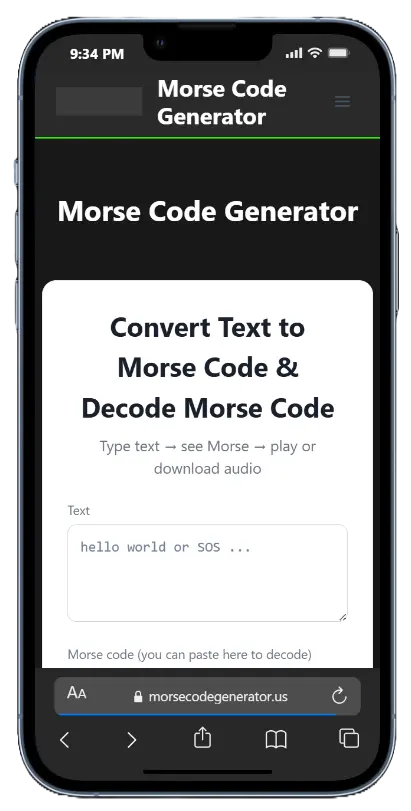
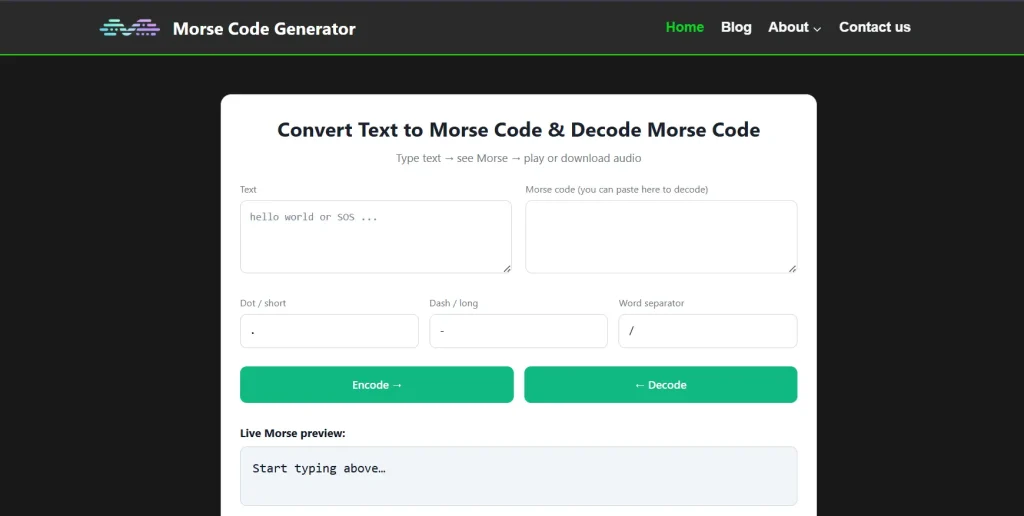
If you’d rather skip manual work, you can use a Morse Code Generator to instantly translate words into dots and dashes. But it helps to know what’s happening behind the scenes, so let’s break it down in a way that actually makes sense.
What Is Morse Code, Really?
Morse code is a communication system that uses two basic signals: short signals (dots) and long signals (dashes). These combinations represent letters, numbers, and punctuation marks.
Each letter in the alphabet has its own pattern. For example:
- A = .-
- B = -…
- C = -.-.
- S = …
- O = —
That’s why SOS is written as ... --- .... It’s short, easy to recognize, and hard to confuse with other patterns.
The system most people use today is based on the International Morse Code standard. It covers:
- Letters A–Z
- Numbers 0–9
- Common punctuation
When people ask, How do I convert text to Morse code, what they’re really asking is how to swap each letter in a word for its Morse code equivalent.
How Do I Convert Text to Morse Code Manually?
Let’s walk through it step by step.
Step 1: Write Your Text Clearly
Start with simple English text. Remove unusual symbols if you’re just practicing.
Example:
HELLO
Step 2: Use a Morse Code Alphabet Chart
You’ll need a Morse code alphabet chart (sometimes called a Morse code symbols list). This shows each letter and its corresponding dots and dashes.
Using the chart:
- H = ….
- E = .
- L = .-..
- L = .-..
- O = —
Step 3: Separate Letters and Words Properly
In Morse code:
- Letters are separated by a space
- Words are separated by a slash ( / ) or a larger space
So “HELLO” becomes:
.... . .-.. .-.. ---
If you add a second word like WORLD:
WORLD =
W = .–
O = —
R = .-.
L = .-..
D = -..
HELLO WORLD becomes:
.... . .-.. .-.. --- / .-- --- .-. .-.. -..
That’s it. You’ve just converted text to Morse code by hand.
If you’re curious about short greetings, check out how to say hi in morse code and practice with small, friendly words first. It makes learning less overwhelming.
Using a Text to Morse Code Converter
Not everyone wants to memorize the Morse code alphabet chart. That’s where online tools come in.
A text to Morse code converter (also called a Morse code translator or Morse code encoder) automatically translates English to Morse code in seconds.
Here’s how most tools work:
- You type your message into a box.
- The tool processes each character.
- It displays the Morse code output instantly.
Some platforms even allow:
- Audio playback (so you hear the beeps)
- Flashing light simulation
- Copy and paste Morse code tool options
- Reverse translation (Morse code decoder and encoder)
These tools are helpful if you’re working with long paragraphs or need fast, accurate conversion. If your main question is, How do I convert text to Morse code quickly and without errors? an online Morse code converter is your best bet.
Still, knowing the manual method helps you understand mistakes and double-check translations.
Converting Text to Morse Code with Sound or Light
Morse code isn’t just written. It can be transmitted through:
- Sound (beeps)
- Light (flashes)
- Tapping
- Blinking
The timing rules matter:
- A dot is one unit of time
- A dash is three units
- Space between parts of a letter is one unit
- Space between letters is three units
- Space between words is seven units
This timing is what makes Morse code recognizable in emergency situations. For example, people trapped or stranded have used flashlights to send signals. If you’re interested in non-verbal communication, learning how to blink in morse code can be surprisingly practical.
When people ask, How do I convert text to Morse code for signaling, the answer isn’t just about writing dots and dashes. It’s about understanding rhythm and spacing.
Example: Translating a Full Sentence
Let’s translate:
“MEET ME AT 5”
Break it down letter by letter.
M = —
E = .
E = .
T = –
Space between words
M = —
E = .
Space
A = .-
T = –
Space
5 = …..
Final result:
-- . . - / -- . / .- - / .....
Notice how numbers use their own patterns. If you’re using an English to Morse code tool, numbers and punctuation are usually supported automatically.
Why Learn Morse Code Conversion at All?
Some people learn it just for fun. Others have practical reasons.
1. Emergency Preparedness
In survival scenarios, Morse code can be transmitted using light, sound, or tapping. Even three short taps followed by three long taps can signal distress.
2. Amateur Radio (Ham Radio)
Many radio operators still use Morse code. It cuts through noise better than voice signals.
3. Mental Exercise
Memorizing Morse code patterns strengthens memory and pattern recognition.
4. Secret Messaging
Kids love it. Honestly, adults do too. It feels like a simple cipher without being complicated.
Sometimes people even wonder playful things like do dolphins communicate in morse code. They don’t, of course, but the comparison shows how rhythmic patterns can carry meaning.
Pros and Cons of Converting Text to Morse Code
Like any communication method, it has advantages and limitations.
Pros
- Works without internet
- Can be transmitted with minimal tools
- Recognizable distress signals
- Fun and educational
- Useful for low-bandwidth communication
Cons
- Slower than normal speech
- Requires memorization or a reference chart
- Easy to misinterpret without correct spacing
- Not encrypted (anyone who knows Morse can read it)
If your goal is privacy, Morse code isn’t secure encryption. It’s simply a different representation of text.
Common Mistakes When Converting Text into Morse Code
People often rush the process. That’s when errors creep in.
Here are a few things to watch for:
Mixing Up Similar Letters
For example:
- S = …
- H = ….
One extra dot changes the meaning.
Forgetting Word Separators
Without proper spacing or slashes, messages become confusing.
Ignoring Numbers and Symbols
Some beginners assume Morse code only works for letters. It also includes:
- 1 = .—-
- 2 = ..—
- 3 = …–
- 0 = —–
A complete Morse code message converter should handle these correctly.
Best Way to Practice Morse Code Conversion
If you’re serious about mastering it, try this approach:
- Memorize common letters first (E, T, A, O, S).
- Practice translating short words daily.
- Use a Morse code typing tool for feedback.
- Listen to audio versions to learn rhythm.
It’s similar to learning a musical instrument. Patterns stick after repetition.
When someone asks again, How do I convert text to Morse code without always relying on a tool? the honest answer is practice. There’s no shortcut to fluency.
Safety and Responsible Use
Morse code is harmless by itself, but context matters.
If you’re using it for emergency signals, make sure you:
- Learn the correct distress pattern (SOS)
- Practice timing accurately
- Don’t send false emergency signals
False distress signals can waste emergency resources and put real lives at risk.
If you’re using Morse code online, remember it’s not secure encryption. Anyone with a Morse code decoder can translate it easily. For private communication, actual encryption tools are more appropriate.
Quick Recap: How Do I Convert Text to Morse Code?
Here’s the simple breakdown:
- Take your English text.
- Use a Morse code alphabet chart or an online Morse code converter.
- Replace each letter with its dot-and-dash equivalent.
- Separate letters with spaces.
- Separate words with a slash.
That’s all there is to it.
If you prefer automation, a text into Morse code online free tool works instantly. If you enjoy learning systems from the ground up, manual conversion builds understanding.
Either way, the next time you wonder, How do I convert text to Morse code, you’ll know exactly what to do.
Final Thoughts
Morse code may feel old-fashioned, but it hasn’t disappeared. It survives because it’s simple, flexible, and surprisingly resilient. You can transmit it with a flashlight, a tapping finger, or a radio signal. Not many communication systems can claim that.
Learning how to convert text to Morse code connects you to a piece of communication history. It’s also a small skill that can spark curiosity. Once you start recognizing patterns like .- for A or -.-. for C, you’ll see them everywhere. And honestly, there’s something satisfying about turning ordinary words into a rhythm of dots and dashes. It slows things down. Makes you think about language differently.
So whether you use a Morse code generator, a Morse code conversion tool, or a handwritten chart taped to your desk, you now have the knowledge to translate words to Morse code confidently. Give it a try. Start with your name. Then a short sentence. Before long, those dots and dashes won’t look mysterious at all.